

DefectsArticles
Print Defect Registers
Print defect registers straight from the Plexa Dashboard, ensuring you can efficiently manage and document defects. Users can easily access and print both standard and attachment-i
Print defect registers straight from the Plexa Dashboard, ensuring you can efficiently manage and document defects. Users can easily access and print both standard and attachment-inclusive defect registers, enhancing workflow and record-keeping.
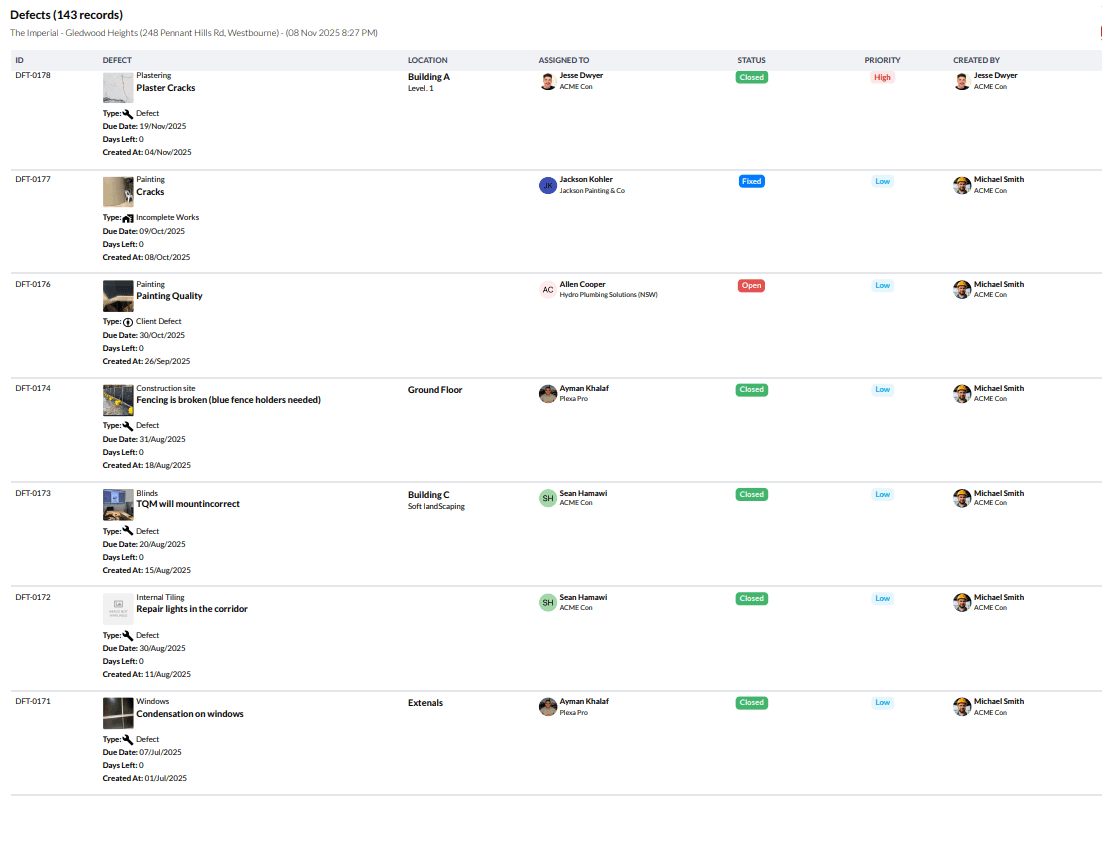
Step by Step Guide
Click "Defects" on the Plexa Dashboard
Click the 'PDF' icon.
Click "Defect Registers" or "Defect Registers with Attachments"
Click the "Print in HD" field, if required
Click 'Printer" icon and print the Defects RegisterVideo Tutorial
Video Tutorial
For a visual guide, please watch the video below
Interactive walkthroughOpen